.png)
Project Health Scores
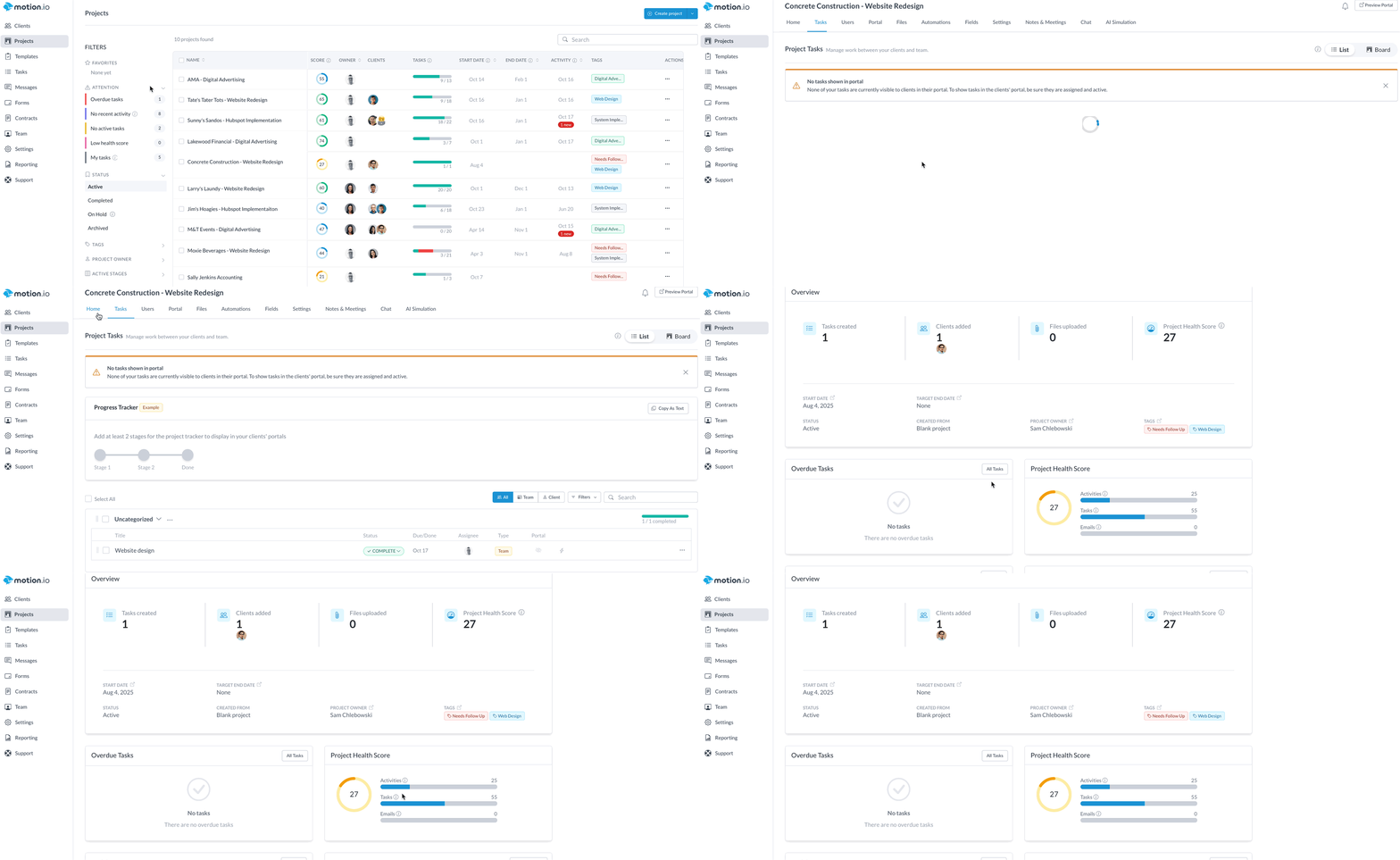
Project Health Scores provide a real-time snapshot of how each project is progressing. With just a quick glance at your Projects Dashboard, you can spot which projects are on track—and which ones may need attention—based on actual engagement, task activity, and client responsiveness.
What Is a Project Health Score?
A Project Health Score is a dynamic indicator that evaluates the overall status of a project. It’s automatically calculated using a combination of factors:
- Task Completion Rate: Are tasks being completed on time?
- Client & Team Engagement: Are clients logging in, responding, and engaging with tasks?
- Activity Levels: Is there consistent interaction happening within the project (e.g., file uploads, messages, task updates)?
These scores are designed to help your team proactively monitor client progress and take action before things fall behind.
Where to Find Health Scores
On the Projects Dashboard, each project’s Health Score appears just to the right of its name. This view lets you quickly scan all active projects and identify which ones are healthy—and which may require check-ins or intervention.
Visual Cues: Health Scores may appear with color-coded indicators (e.g., green for healthy, yellow for moderate, red for at-risk) to make at-a-glance decisions even easier.
How Health Scores Are Calculated
While the scoring model updates automatically, the score is based on:
- Percentage of tasks completed
- Client portal logins and activity
- Ongoing message threads or comments
- Recent updates to stages and tasks
This gives you a quick yet comprehensive signal of how your client relationships and project progress are evolving.
View a Detailed Score Breakdown
To go beyond the dashboard snapshot, click into any project and navigate to its Home tab. There, you’ll see a detailed breakdown of the health score, including:
- Task completion percentage
- Recent team and client activity
- Assigned tasks still pending
This gives your team full context and helps guide follow-up actions where needed.